EzSub Grok sso guide: find and copy the full Cookie Value

This guide follows the original desktop-browser steps to find the Grok cookie named sso and copy its complete Value.
To view available plans, visit the Grok top-up page. This guide covers where to find and copy sso.
Read by step: Step 1: Open Grok and sign in · Step 2: Open developer tools · Step 3: Open Grok Cookies · Step 4: Copy the complete sso Value
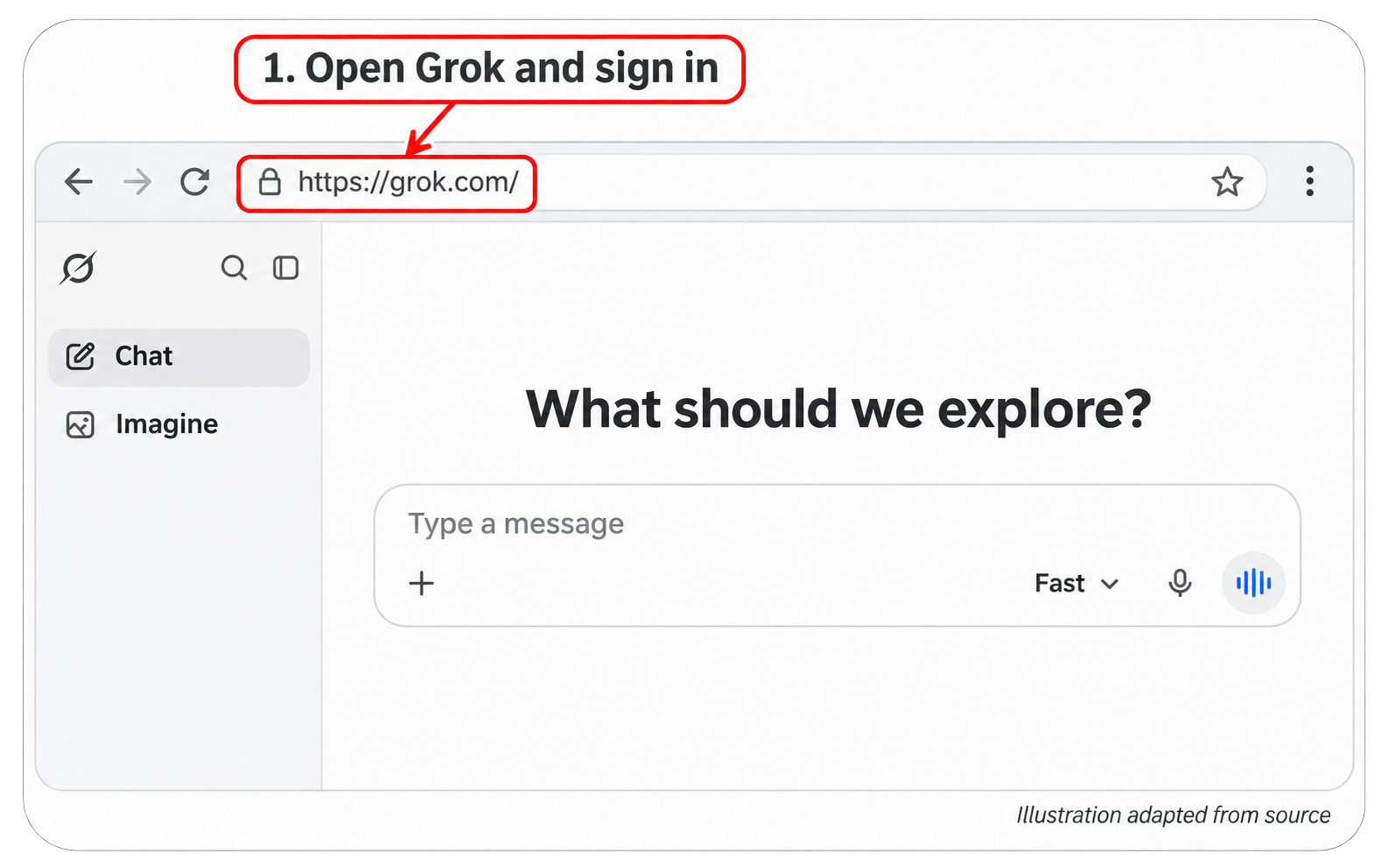
Step 1: Open Grok and sign in
Open https://grok.com/ in a desktop browser and sign in to your Grok account.
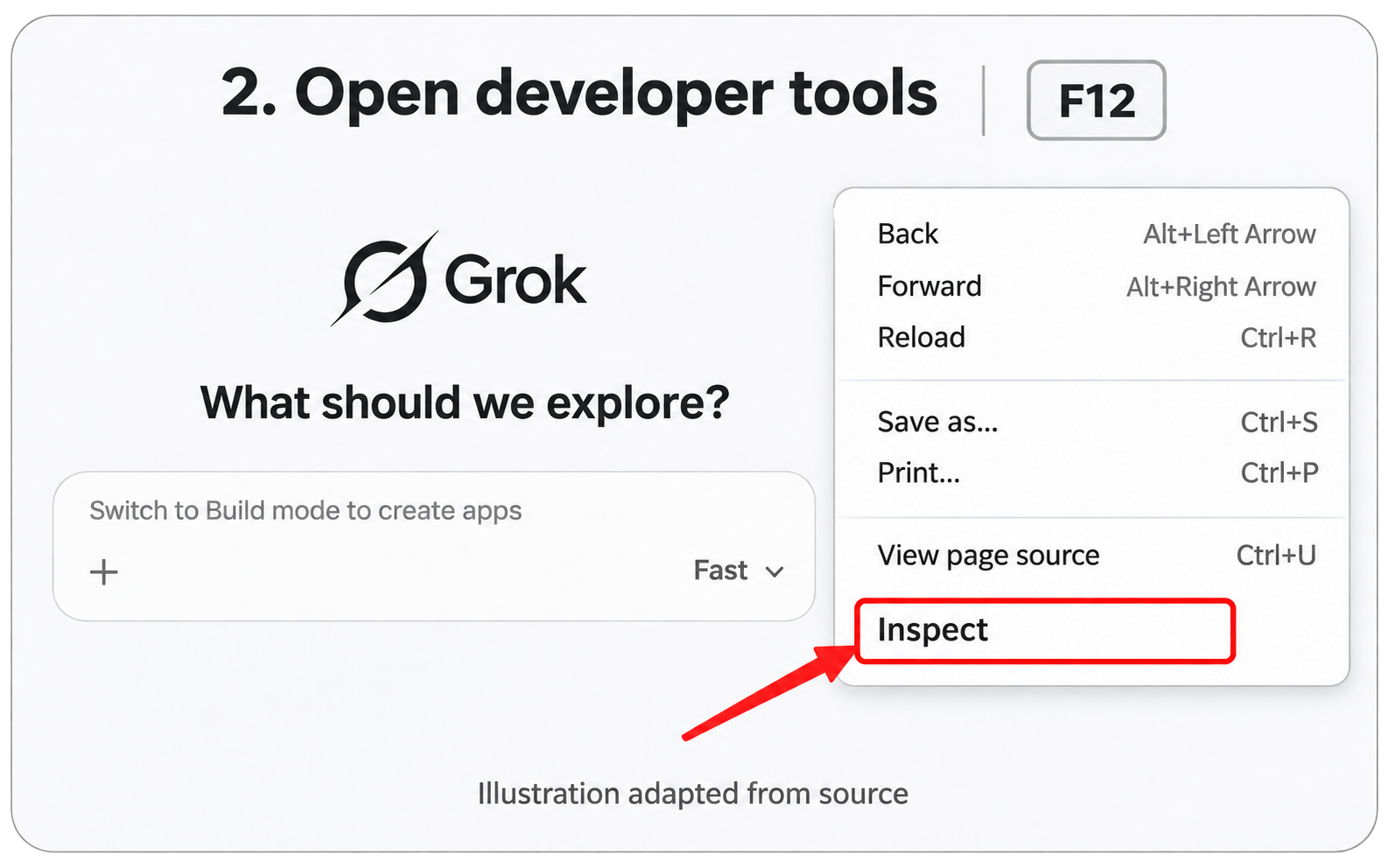
Step 2: Open developer tools
Press F12 to open developer tools, or right-click the page and choose Inspect.
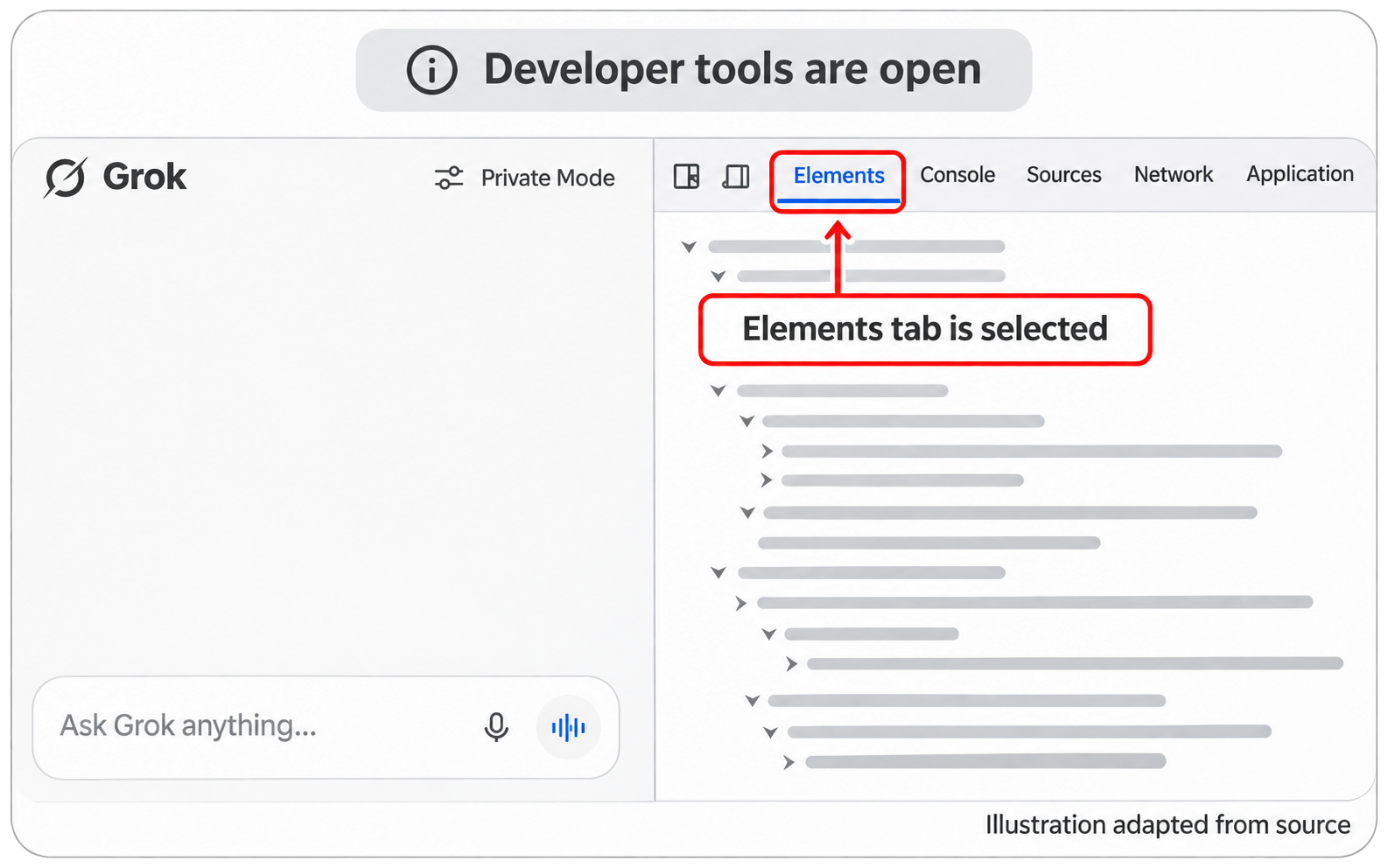
The next illustration shows developer tools open beside the page.
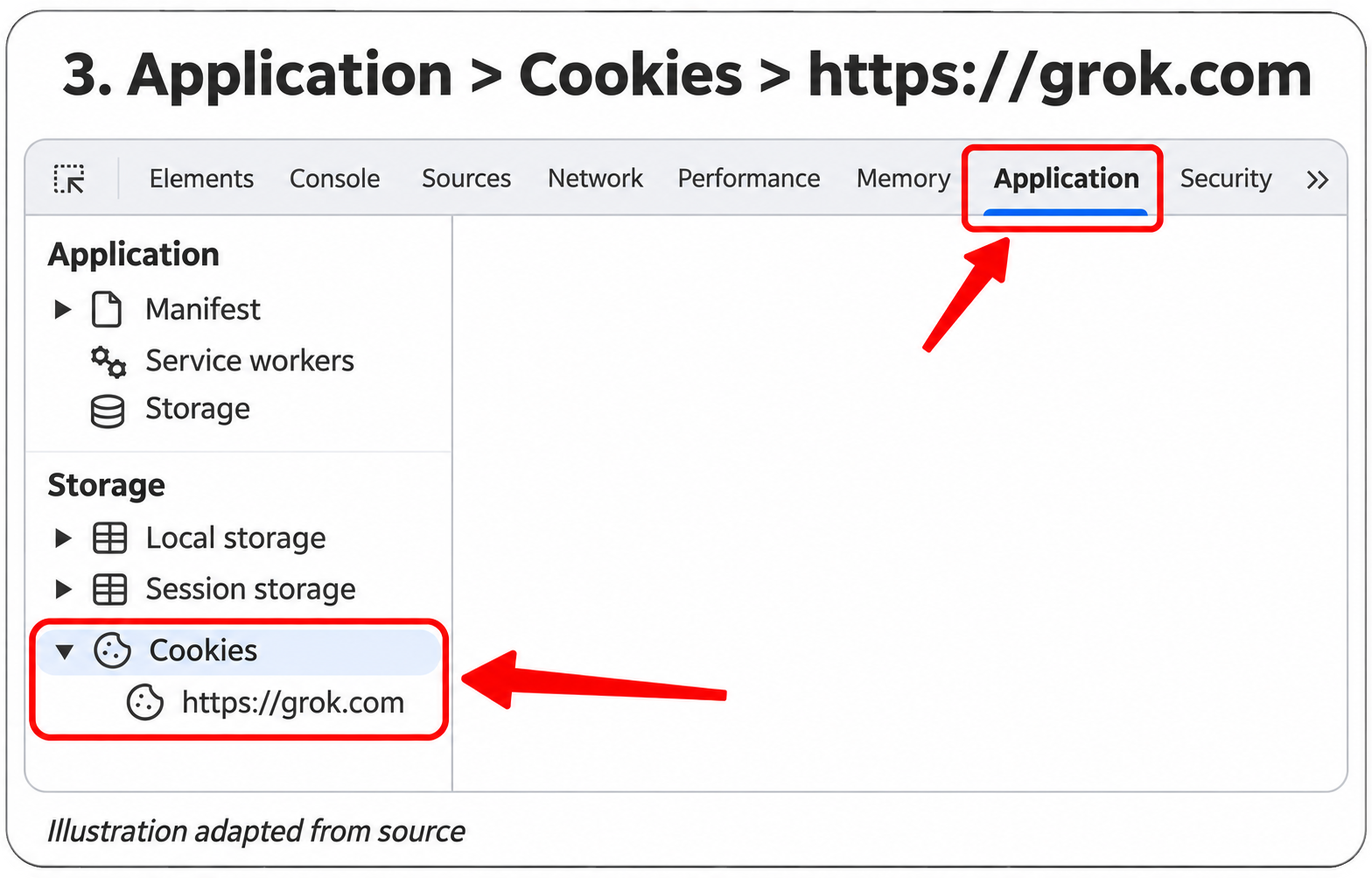
Step 3: Open Grok Cookies
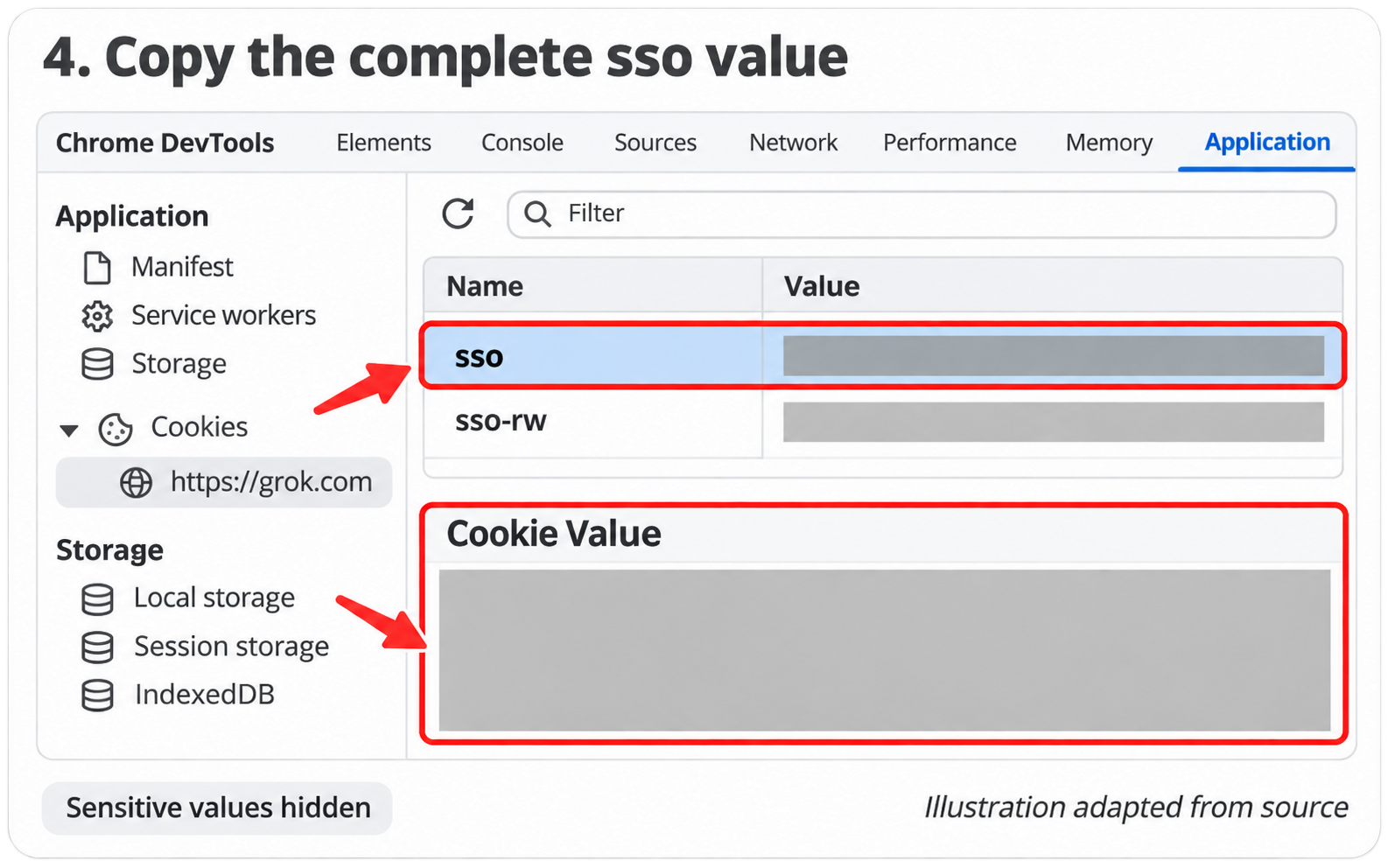
Select Application, expand Cookies in the storage area, then select https://grok.com.
Step 4: Copy the complete sso Value
Find the cookie named sso and copy its complete Value. The red outline in the illustration marks the lower Cookie Value area.
Keep the complete Cookie Value private. Do not post it or screenshots containing it publicly; confirm the purpose and recipient before sharing it.