ezsub
Spotify

Spotify

$Spotify-10 Gift Card

Perkhidmatan langganan pihak ketiga yang bebas.Perkhidmatan ini disediakan secara bebas oleh EzSub dan bukan laman web rasmi jenama berkaitan.

Langganan Keahlian
Penghantaran Segera
Selamat & Boleh Dipercayai
Sokongan 24/7

地区

美国
澳大利亚
德国
法国

面额

10USDRM61.74Rasmi RM68.049%Off
30USDRM168.84Rasmi RM187.7410%Off
60USDRM287.28Rasmi RM313.748%Off
Kaedah penghantaranPenebusan sendiriKod dihantar secara automatik
Anggaran penghantaran5-30 minitTebus kod mengikut panduan

Butiran produk

Spotify Gift Card

More listening time on your own account

Receive a digital code and redeem it for individual Premium time on a Spotify account in the matching country or region. Renew your own music subscription, or give an unused code to someone who meets the redemption requirements.

Digital redemption codeIndividual PremiumUse in the selected region

The gift card region must match your Spotify account region. Available regions are shown on the product page.

Visit Spotify: spotify.com

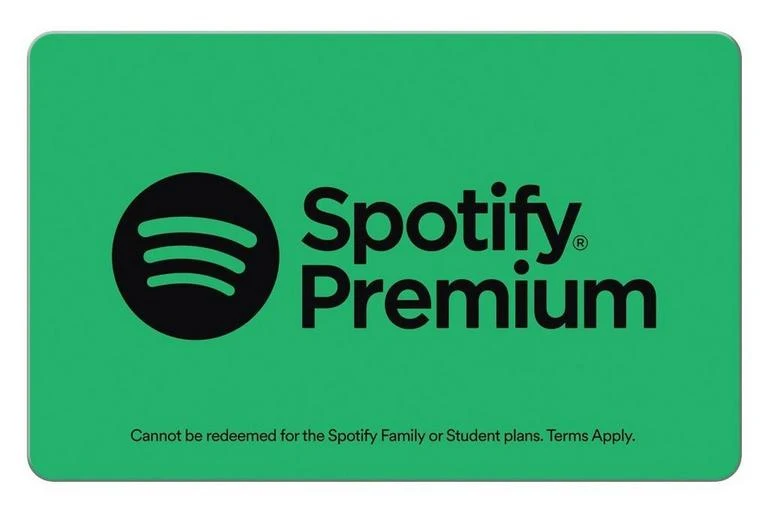
Example of a green Spotify Premium gift card

Card shown for illustration. This product delivers a digital code.

Redeem Premium time and keep listening

Manage music on your own account

Use a gift card to renew an eligible individual Premium subscription or upgrade a free account. Check that you are signed in to the intended account before redeeming.

Ad-free music and offline listening

Once redeemed and active, individual Premium gives you on-demand music, track skipping and offline downloads. Take your playlists into commutes, workouts and weekends.

Gift cards redeem individual Premium subscription time, rather than a general-purpose cash balance. The time added depends on the selected product and the redemption screen.

A person listening with headphones by the sea

Illustrative listening scene.

Check your plan and remaining time before redeeming

Gift cards apply to eligible individual Premium plans. They cannot be applied directly to Premium Student, Family, Duo, trial offers, Basic or accounts with an add-on subscription.

An account can hold up to 18 months of Premium time. For an existing individual Premium plan, redeemed time normally starts on the next payment date; upgrades from a free account start immediately.

The code’s redemption deadline is separate from the subscription time it adds. Deadlines vary by country. Contact support before ordering to confirm the remaining redemption period, and redeem promptly after receipt.

Sign in to the intended account and redeem

Visit Spotify: spotify.com/account/redeem

  1. Open the redemption page in a browser. Check that you are signed in to the intended Spotify account and its country or region matches the card.
  2. Copy the digital code from your order and enter it. Check for extra spaces or incorrect characters.
  3. Select Continue, check the subscription and time shown, then confirm redemption.
  4. Check Premium status and the expiry date on your account page. Keep your order information.

If an error appears after four attempts, wait 24 hours before trying again. Check the code and account eligibility first. This waiting period is a redemption restriction.

Digital code delivery and after-sales support

Find the digital code in your order. A Spotify account and a physical card are not included.

ezsub guarantees that the code is valid when delivered. No returns or exchanges after successful delivery. Check the country, product option and account plan before ordering.

For a code issue, contact support with your order number, an error screenshot and the time it occurred. Share the complete code only as needed in a private support conversation.

FAQ

Spotify Gift Card FAQ

What will I receive?

A digital code for the country and option you selected, available in your order. A Spotify account and a physical card are not included.

Which gift card region should I choose?

Check the product page for available regions.

Region matching

The gift card region must match your Spotify account region.

Which plans can use a gift card?

Eligible individual Premium plans can use it for free-account upgrades or renewals. Student, Family, Duo, trial offers, Basic and accounts with add-on subscriptions cannot use it directly.

How do I redeem a code or resolve an error?

Visit Spotify: spotify.com/account/redeem. Sign in to the intended account, enter the code and confirm the subscription time. For errors, check the country, plan and code first.

Redemption retries

If an error appears after four attempts, wait 24 hours before trying again.

What if the code has a problem, or I want a return?

ezsub guarantees that the code is valid when delivered. For an issue, contact support with your order number, an error screenshot and the time it occurred.

Returns and exchanges

No returns or exchanges after successful delivery.